

HDMI ARC to Optical Audio Converter, 24bit/192KHz ARC to Toslink Audio Converter Adapter for HDTV to Optical Soundbar/Home Theater (Only for TV with ARC Lable Beside HDMI Port, not for eARC)
$21.99
Price when purchased online
Free shipping
Free 30-day returns
Sold and shipped by wakeupmed.com
We aim to show you accurate product information. Manufacturers, suppliers and others provide what you see here.
$21.99
Price when purchased online
Free shipping
Free 30-day returns
Sold and shipped by wakeupmed.com
Free 30-day returns Details
Product details
| Management number | 221605364 | Release Date | 2026/05/03 | List Price | $8.80 | Model Number | 221605364 | ||
|---|---|---|---|---|---|---|---|---|---|
| Category | |||||||||
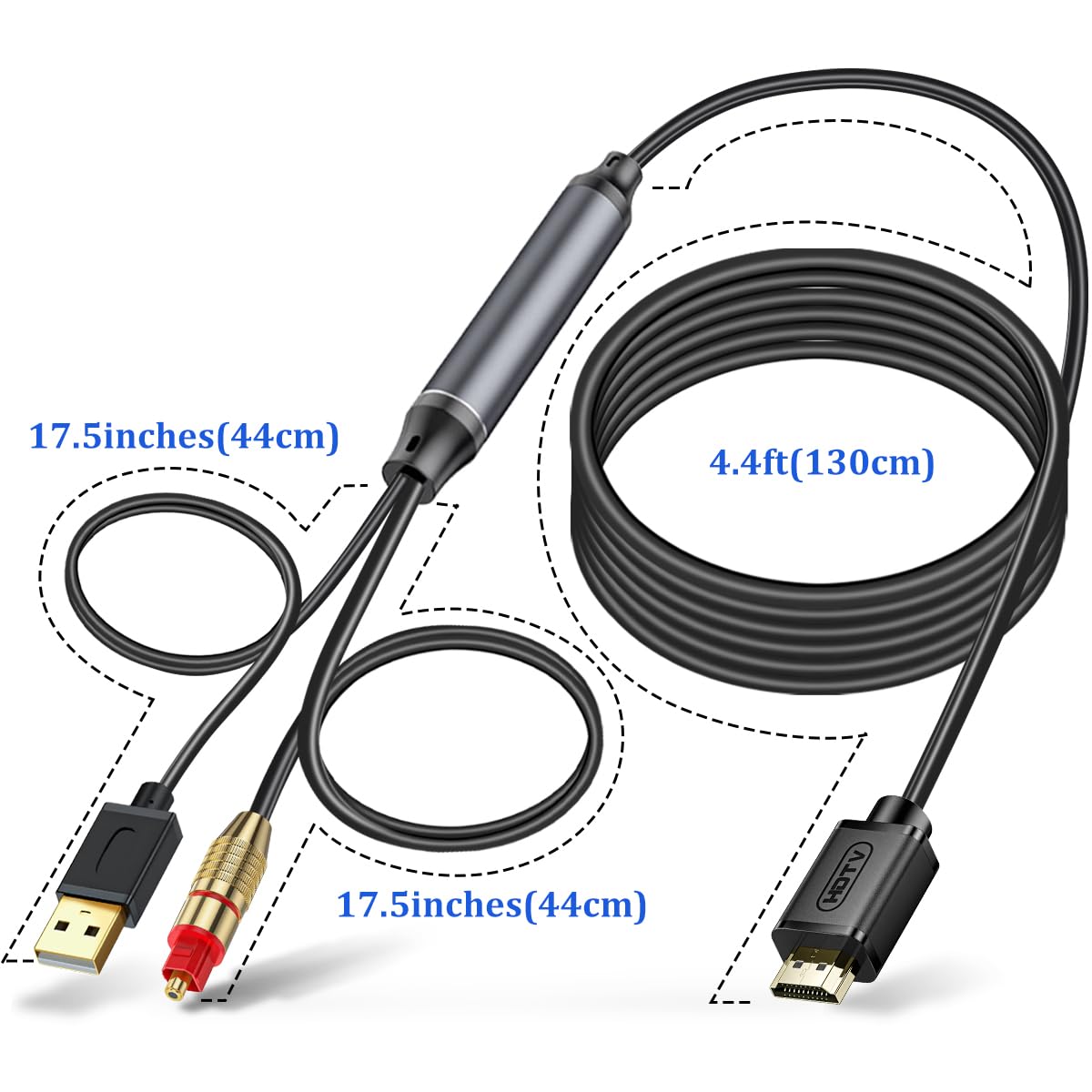
- HDMI ARC Audio Extractor: Connect your TV with HDMI ARC function to a playback device with TOSLINK signal input interface, such as a soundbars, wireless headphones, and home theaters. Please confirm your HDTV has ARC functionality (label beside the HDMI port). Not compatible with "eARC" HDMI interface.
- 【Attention】- TV remote will be unable to control the playback volume during use, please adjust volume through playback devices like sound bar.
- 192KHz High Sampling Rate: Our ARC to Optical converter supports up to 24bit/192KHz for crystal-clear sound. Seamlessly links TV to playback devices like soundbar, making it a must-have upgrade for home entertainment systems. Please set digital audio output format of TV to PCM.
- Plug and Play: USB-powered (HDMI ARC to Optical Audio Adapter must be powered via its usb cable during use), no software/drivers needed. Advanced audio processing extracts signals from HDTV ARC HDMI ports with minimal interference/distortion, delivering lag-free, high-quality sound
- 【Attention】- The USB cable must be plugged into 5V USB power port during use. Audio signal from HDMI ARC to optical only, not from optical to HDMI. Please set TV audio output to HDMI ARC, then Set output audio format to PCM to make it work.



Bestseller ranking
Signal Converters


Customers who viewed this product also viewed
Optical Inspection Apparatus



Correction of product information
If you notice any omissions or errors in the product information on this page, please use the correction request form below.
Correction Request Form